
Everyone tells you the same thing about LinkedIn. Update your headline. Get a professional headshot. Write a summary that starts with “I help X do Y.”
Fine. Do all of that. It takes 20 minutes and it’s table stakes.
But here’s what actually separates the LinkedIn profiles that generate business from the ones that just sit there collecting “Happy Work Anniversary” notifications: visual consistency in your content.
Your posts look like everyone else’s
Scroll through your LinkedIn feed right now. What do you see? Blue and white text graphics. Stock photos. Screenshots of tweets. The occasional selfie with a long caption that starts with “I was sitting in a coffee shop when…”
Everything blurs together. And that’s the problem. When everything looks the same, nothing stands out. Your post about your best business advice gets the same two likes as the guy posting a motivational quote he found on Pinterest.
Visual consistency is the shortcut
The people who consistently get engagement on LinkedIn share one trait: you can recognize their posts before you read a single word.
They use the same colors, the same fonts, the same layout every time. Not because they’re boring – because they’ve trained their audience’s eye. When their followers see that specific shade of navy blue or that particular font combination, they stop scrolling. Recognition is faster than reading.
This is basic brand design applied to social media. And most people skip it because they think “branding” requires hiring a designer and spending $5,000.
It doesn’t.
The three posts that actually work
Forget the content calendar with 47 categories. You need three types of posts. Rotate between them.
Hot takes. Pick something your industry does that you disagree with, and say why. Not rage-bait – a real opinion you’d defend over dinner. These get comments because people either agree strongly or want to push back. Both are engagement.
Process breakdowns. Take something you do for clients and show the steps. “Here’s exactly how I run a brand audit” or “The three questions I ask every new client in our first session.” These get saved and shared because they’re actually useful.
Personal stories. Not “I woke up at 5am and crushed my morning routine.” Real stories. The client who almost fired you. The time your business nearly failed. The lesson you learned from your mom. These get the most reach because LinkedIn’s algorithm favors content that keeps people reading.
Templates solve the “I’m not a designer” problem
You don’t need to learn Photoshop. You don’t need to hire someone. You need a set of templates you can open in Canva, swap in your text, and post.
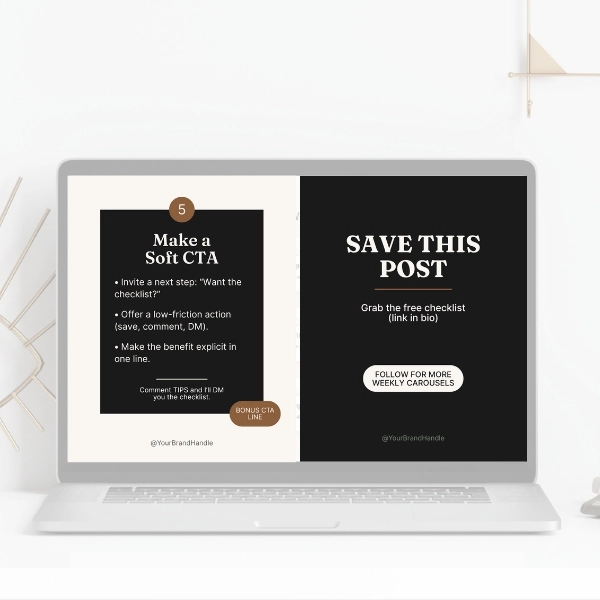
I designed the LinkedIn and Instagram Canva Kit for exactly this. It includes post templates, carousel layouts, and banner designs in a cohesive visual style. Everything is editable in free Canva. You change the words, keep the design, and your feed starts looking intentional instead of random.
The point isn’t to become a designer. The point is to stop looking like everyone else.
